Guide : Main Screen
The following is a description of each area of the app’s main screen.

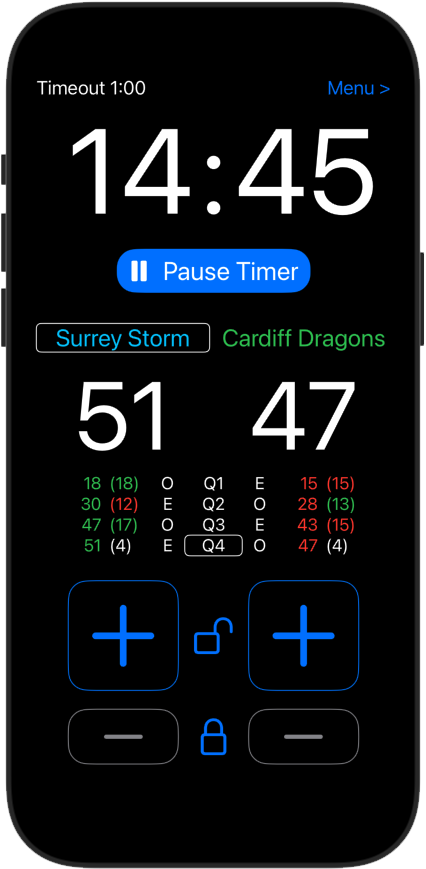
At the top of the main screen, any secondary timers are displayed on the left, and on the right is the button to access the main app menu.
Secondary timers include the following:
- Interval timer, to track the time between quarters.
- Pause timer, to record how long the match has been paused for.
- Time-out timer, a 2 minute countdown timer if a player is given a timeout.
- Send-off timer, a 5 minute countdown timer if a player is sent off, to track when another player is allowed to take their place on court.

The large timer digits are the main match timer.

This is the main control button, which has various functions such as starting the match, pausing the timer and resetting the timer at the end of a quarter.

Next are the team names, with the team with centre pass denoted by the white box.

The match score is displayed next.
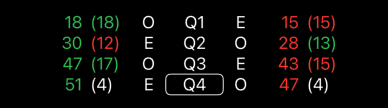
This is a breakdown of the Quarter / Interval scores. The total score is written first, followed by the points scored in that specific quarter.
The O’s and E’s are Odds and Evens, as used in a traditional netball scorecard. If a team is “Odd”, they will have centre pass when the scores of both teams sum to an odd number.

These are the buttons to increase each team’s score.

These are the buttons to reduce a score (in case a correction is needed).